⌨️ Global Dictation
Press ⌘⌥] in any app, speak, and the transcript is typed straight at your cursor. Terminal, browser, Slack — anything. A Spotlight-style pill shows what's happening.
📄 Untitled-1
1

Talk. Get clean markdown. 100% local.
A macOS menu-bar app that turns your voice into structured markdown with whisper.cpp and any local LLM — plus an iPhone & iPad app that runs 100% offline on Apple Intelligence. No cloud. No API keys. Nothing leaves your devices.
↑ You ramble, whisper.cpp transcribes, your local LLM structures it — live, on your Mac.
Everything in this part is the Mac menu-bar app: it uses whisper.cpp and a local LLM server you run yourself.
One line. The script installs the build dependencies with Homebrew, builds the app from source, and drops it in /Applications.
xcodegen, whisper-cpp and ffmpeg via Homebrew, then builds the app.One hotkey for everywhere, one window for deep work.
Press ⌘⌥] in any app, speak, and the transcript is typed straight at your cursor. Terminal, browser, Slack — anything. A Spotlight-style pill shows what's happening.
Speak freely; a local LLM streams your words into a clean, structured document in real time — Markdown, plain text, or HTML. The raw transcript stays one click away. Start it from the menu bar.
One floating, draggable capsule drives the whole session — and decides how your voice lands in the document.
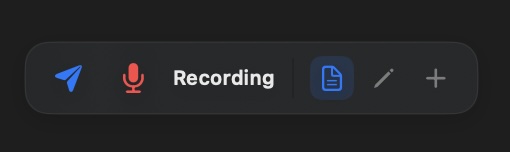
Send · mic · status · Format / Edit / Append · output format · preview · clear.
Flush immediately: transcribe what you just said and send it to the LLM now, instead of waiting for the word threshold or a pause. Enabled while recording and no call is in flight.
Start, pause, resume. The label tells you what's happening — Recording, Processing, Paused — with errors surfaced inline.
Whole document + new words go to the LLM; it returns the complete restructured document. Best for free-form dictation — the model keeps improving the structure as you talk.
Your voice becomes an instruction: “change the subtitle to Weekly Notes”, “turn that list into a table”. Select text in the editor first and the edit focuses on it.
Speed mode for long documents: only the last 3 sentences + your new words are sent; the model returns just the new content, appended. Latency stays flat as the file grows.
A dropdown picks what comes out: Markdown (default), plain text, or HTML. Each format ships its own rules + example to the LLM, works in every mode, and the file on disk gets the matching extension. Remembered across launches.
Opens the session document in the default app for its type — the browser for HTML, your editor for markdown or plain text.
.md / .txt / .html) is updated after every flush.Mac app only — the iOS app needs none of this. Global Dictation only needs whisper.cpp — installed for you. Agent Mode talks to any OpenAI-compatible server running on your Mac (default http://127.0.0.1:8000/v1). Pick one:
brew install xcodegen whisper-cpp ffmpeg # build dependencies (install.sh does this)http://127.0.0.1:8000/v1
brew install omlx then omlx serve <model> — Speech-to-Markdown's default port, zero config.
http://127.0.0.1:11434/v1
ollama pull qwen3.5 (or gemma3), then ollama serve.
http://127.0.0.1:1234/v1
Grab a model in the app, start the local server.
http://127.0.0.1:8080/v1
llama-server -m model.gguf --port 8080.
| Recommended model | Why |
|---|---|
| Qwen3.5 27B (4-bit) | Best formatting quality; the default pick |
| Gemma 26B (8-bit) | Fast, great instruction following |
OpenAI-compatible API (omlx, llama.cpp, LM Studio…)
Speech-to-text (whisper.cpp, runs on-device)
A separate app for iPhone & iPad — fully offline, none of the desktop dependencies.
iOS 26+ · iPhone 15 Pro or newer (Apple Intelligence required) · 100% offline. The same Agent Mode with zero dependencies: SpeechAnalyzer transcribes on-device, Apple Foundation Models format the document. No LLM server, no whisper install, no settings — none of the desktop setup below applies. Works in airplane mode.
Session history with restore · live editor · Format / Edit / Append · MD / TXT / HTML · preview · Files-app access.